ActiveLock continuously verifies that the authorized user remains behind the keyboard by analyzing the way they type. This helps prevent device and account sharing, unauthorized access, unattended devices, and other forms of identity fraud, keeping company computers accessible only to trusted users.
And with real-time monitoring reports, you’ll keep track of incidents as they occur, so you can identify and respond to unauthorized access quickly. Learn more
Use TypingDNA for
Workforce authentication
Secure workforce access from login throughout the work session. TypingDNA Verify 2FA enables phone-free authentication by typing just 4 words, SMS+ strengthens existing SMS OTP flows with typing biometrics, and ActiveLock continuously verifies authorized users on company computers.
Use each solution independently, or combine them to help prevent unauthorized access, device and account sharing, and identity fraud across the user session and other workforce scenarios.
Authentication shouldn’t stop at login. ActiveLock continuously verifies that the authorized user remains behind the keyboard, extending zero trust principles to company computers throughout the work session.
By detecting unauthorized access, device sharing, and unattended device misuse in real time, ActiveLock helps ensure that access remains trusted, not just when a session begins, but while it continues.
When employees and contractors use company computers, you need to know that the person behind the keyboard is actually the authorized user.
ActiveLock continuously verifies the user by the way they type, helping detect and prevent device sharing, unauthorized access, and account misuse throughout the work session.
Secure workforce access from login throughout the work session. TypingDNA Verify 2FA enables phone-free authentication by typing just 4 words, SMS+ strengthens existing SMS OTP flows with typing biometrics, and ActiveLock continuously verifies authorized users on company computers.
Use each solution independently, or combine them to help prevent unauthorized access, device and account sharing, and identity fraud across the user session and other workforce scenarios.
Authentication shouldn’t stop at login. ActiveLock continuously verifies that the authorized user remains behind the keyboard, extending zero trust principles to company computers throughout the work session.
By detecting unauthorized access, device sharing, and unattended device misuse in real time, ActiveLock helps ensure that access remains trusted, not just when a session begins, but while it continues.
When employees and contractors use company computers, you need to know that the person behind the keyboard is actually the authorized user.
ActiveLock continuously verifies the user by the way they type, helping detect and prevent device sharing, unauthorized access, and account misuse throughout the work session.
Replace phone-based authentication and hardware tokens with typing biometrics that works right in the browser. Users simply type 4 words - no phone, app, extra device, or browser permission required.
Verify 2FA integrates with Microsoft Entra ID, Okta, Ping Identity, Keycloak, and other IAM platforms, or can be integrated directly into your applications. Learn more
How does typing biometrics work?
Typing biometrics analyze micro-patterns in how users type. Its focus on user experience makes it ideal for Continuous Endpoint Authentication and 2FA. When users first register, samples of their typing behavior are analyzed — looking at the time it takes to press, release, and move between keys. This data is then used for future authentications, employing proprietary AI-based technology to improve security and accuracy.
TypingDNA allows users to verify their identity without having to whip out their phone.
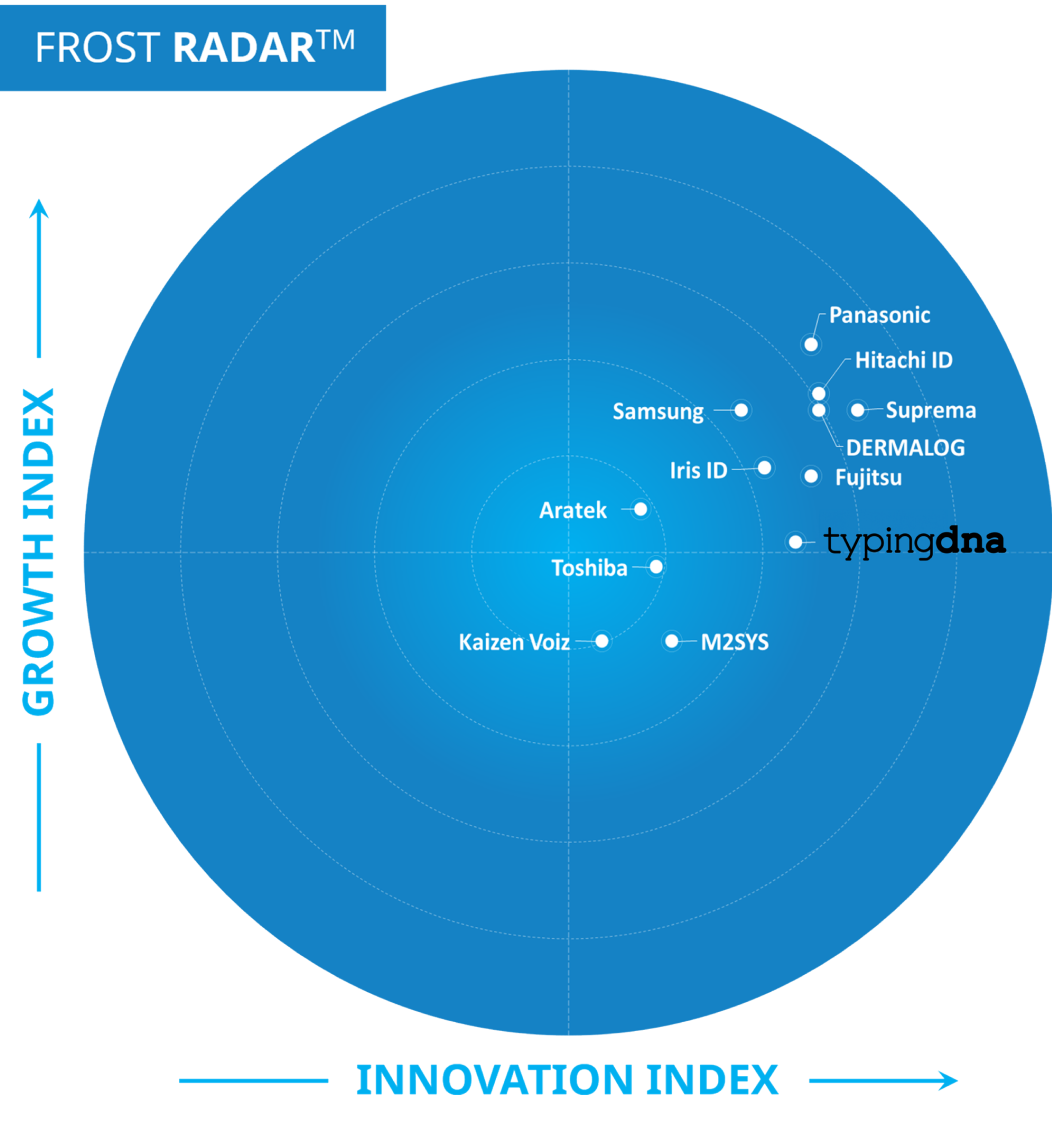
TypingDNA is ranked in the Top 10 of Zero Trust Security solutions in the world.
The New York State DMV and European Banking Authority approve typing biometrics as a compliant method of identity authentication.
Are you a student? 🎓
To see a Verify 2FA demo, you have to schedule a call with our team. For a quick online demo of our capabilities, check this out.
Short phrase demo
Short phrase verification works with typed texts that need to be the same each time.